top of page

Scratch Junior
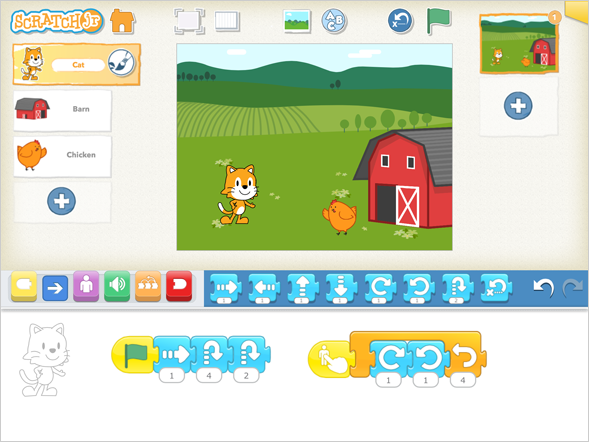
learninterface.png

Prerequisites 

  • No previous coding experience required

  • Basic ability to use a tablet

  • Ability to follow simple instructions

  • Creativity and willingness to explore

scratchjr-screenshot.png

Equipments

  • iPad or Android tablet

  • ScratchJr app installed

  • Stable internet connection for setup/download

  • Headphones (optional)

Important Links

Introduction/Drawing in 2D

Students will be introduced to ScratchJr and explore its interface, characters and basic tools. They will learn how to create and customise their own 2D characters and backgrounds, developing creativity and confidence while becoming familiar with the ScratchJr environment.

Storytelling in Scracth

Students will learn how to create simple interactive stories using ScratchJr. They will use characters, backgrounds, movement, dialogue and sounds to build their own story while developing creativity, sequencing and computational thinking skills.

Scratch  Loops

Students will learn how to use loop blocks to repeat actions in their ScratchJr projects. They will create simple animations and patterns while developing their understanding of repetition, sequencing and logical thinking.

Virtual pet

Students will create their own virtual pet in ScratchJr. They will use coding blocks to make their pet move, interact and respond to different actions, while developing creativity, sequencing and problem-solving skills.

Events

Students will learn how events can trigger actions in ScratchJr. They will use different starting blocks to make characters respond to clicks, messages and other events, developing their understanding of cause and effect, sequencing and coding logic.

Mini Games

Students will apply the skills they have learned in ScratchJr to create their own mini game. They will design the characters, create simple game rules and use coding blocks to add movement and interactions, encouraging creativity, problem-solving and independent project development

bottom of page